


LeapFrog Academy™ Learning
3.3396.00 Reviews
App Specs
- Version
- 1.1.1.1087
- Updated On
- License
- Free
- Downloads
- 500,000+
- Developer
- LeapFrog Enterprises, Inc
- Categories
- Educational
- Platform
- Android
Screenshots
 Analysis by AppCompare
I look for a children’s learning game that can hold a child’s attention without making a parent do all the navigating, and LeapFrog Academy™ Learning is built around that balance. Its cheerful activities bring early literacy and math into a game-like format. The appeal is easy to understand, though the subscription-style purchase options mean I would check the cost carefully before making it part of a regular routine.
What the purchase details mean for families
This is a free educational game from LeapFrog Enterprises, Inc., with optional in-app purchases listed from $7.99 to $69.99 per item. That range is the most important practical detail for a family weighing whether to try it: downloading the app does not mean every part of the experience is included at no cost. I would treat the free download as a chance to inspect the experience, then make a purchase only after checking what the selected item offers and whether it suits your child.
The game is rated Everyone, and its focus is early learning through literacy and math activities. It has a 3.3 average from around 950 ratings, alongside over 500,000 installs. Those figures suggest that it has reached many families, but the middling average is a reason to approach it with measured expectations rather than assuming every child will enjoy the same activities. Ratings can reflect different devices, expectations, and family needs; I would use them as context, not as a verdict on whether it fits your household.
For a parent, the useful question is not simply whether a game is educational, but whether its format matches the way a child likes to learn. A child who enjoys tapping through short activities may welcome this approach. A child who prefers books, physical toys, or open-ended play may get more from those alternatives, even if the app’s subject matter is relevant.
Learning without turning every session into a test
The game’s learning-adventure framing can make practice feel less like a worksheet. That can be helpful when a child is willing to explore a game but resists sitting down for formal drills. I would keep sessions brief and join in at the start: ask the child to explain a choice, sound out a word, or describe how they solved a problem. That turns screen time into a conversation instead of leaving the device to do all the teaching.
Rewards can encourage a child to keep going, but they also create a small trade-off. A child might focus on collecting a badge rather than thinking about the skill behind it. I would praise the effort or strategy—such as trying a different answer—rather than treating completion as proof of mastery. If the child starts tapping quickly just to reach the next reward, that is a good moment to pause or switch to an offline activity.
Progress should be read as a guide for what to practise, not as a diagnosis or a substitute for a teacher’s view. If a child repeatedly struggles with a particular kind of task, I would sit beside them and see whether the problem is the concept, the instructions, or simply the touchscreen interaction. This distinction matters: difficulty using a small screen can look like difficulty with the lesson itself.
Worth Reading Before You Choose

EA SPORTS FC Mobile 26 Is a Bigger Football Game, but It Takes Time

Flipboard Shows What News Apps Must Do Beyond the Feed

Switching to Android Auto Means Rethinking Your Driving Routine

Google Calendar Makes a Crowded Week Easier to Manage

Ludo King Makes the Most of the Minutes Between Plans

Baby Panda World Brings Quick Play to Modern Phones, but Its Game Library Feels Busy
Fairness, access, and the alternatives
Compared with a printed workbook, this game can make activities feel more responsive and playful, while a workbook is easier to use without a device and can invite drawing or writing by hand. Compared with a general video app, a learning game gives the child choices to act on rather than only watch. Neither comparison makes the app automatically better: a shared storybook, blocks, or a parent-led counting game may be a stronger fit when a child needs movement, conversation, or a break from screens.
For families considering paid content, fairness comes down to knowing what is being bought and whether the child will actually use it. The listed item prices span a substantial range, so I would not assume every purchase has the same scope or value. Check the purchase screen with your child out of the way, agree on a limit beforehand, and avoid letting a badge or locked activity turn into pressure to spend. The app’s educational purpose does not remove the need for ordinary household purchase boundaries.
A practical routine could be a short activity while dinner is being prepared, followed by a real-world extension: count pieces of fruit, spot letters on a package, or ask the child to tell you what they remember. That keeps the game from becoming the whole lesson and helps you notice whether its activities are transferring into everyday thinking. If the child becomes frustrated, stop rather than pushing through simply because an adventure is unfinished.
Who is likely to enjoy it—and who may not
I see the best fit for a young learner who likes colorful, guided screen activities and benefits from practising early reading or number skills in small steps. It may also help a caregiver who wants a structured option for occasional quiet time and is willing to stay involved, especially at first. A shared device can work for a parent and child taking turns, but I would make sure the child can comfortably reach and operate the controls rather than expecting independent use immediately.
I would skip it, or at least postpone paying for content, if your child dislikes touch-based games, is already spending more screen time than your family wants, or needs teaching that is closely tailored by a classroom professional. It is also not the right choice if you are looking for a free, fully open-ended collection of activities: optional purchases are part of the offer, and the game’s guided format will not suit every learning style.
Questions worth settling before a routine
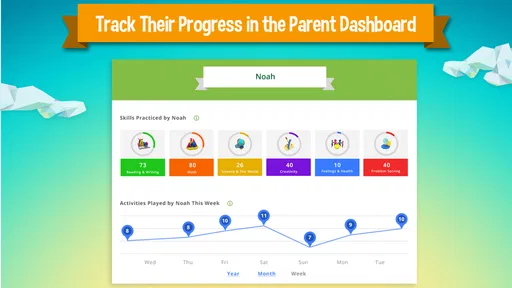
One practical question is whether the game can work during travel or in places with unreliable internet. The original experience describes offline access to some content, but not all of it, so I would test the specific activities you plan to use before relying on them away from home. Likewise, although a parent dashboard is described as a way to follow progress, I would check what it shows and whether that level of detail is useful to your family rather than assuming it replaces regular conversation with your child.
Device compatibility is another sensible check. The current version is 1.1.1.1087 and requires Android 5.0 or later; the game is also described as available on iOS. Before installing, confirm that the device your child will use is supported and that it has enough room for the experience you intend to try. The game was released on May 10, 2017, so I would pay attention to how it performs on your particular device instead of assuming that every older model will feel equally smooth.
What is LeapFrog Academy™ Learning?
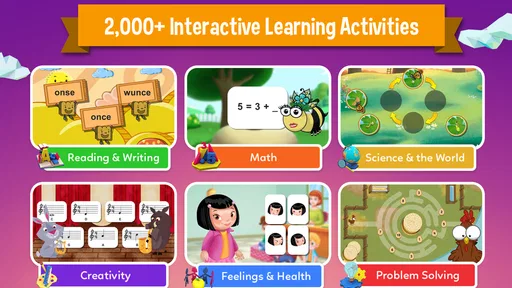
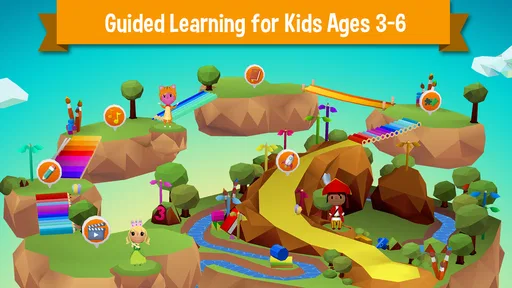
Imagine an app that combines the joy of gaming with the essentials of learning. That’s exactly what LeapFrog Academy™ Learning aims to do. It’s an interactive program designed for kids aged 3 to 6, offering a wide range of activities that cover subjects like math, reading, and science. The app is part of the well-known LeapFrog brand, which has been a leader in educational products for years.
First Impressions
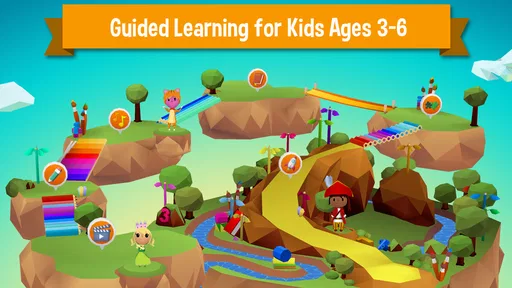
When I first opened the app, I was greeted with bright colors and friendly characters, instantly making it feel inviting. The interface is super intuitive, which is a huge plus because, let’s face it, no one wants to spend ages figuring out how an app works, especially when it’s meant for kids. The home screen offers easy navigation to different learning adventures, and I could tell right away that this app was designed with kids in mind.
Learning Adventures & Content
The heart of LeapFrog Academy™ is its learning adventures. Each adventure is a journey through different educational activities that are both fun and challenging. I particularly liked how the app tailors the difficulty level based on the child’s progress. For example, if your kiddo is acing the math problems, the app will gradually introduce more challenging ones.
The content is diverse and covers a wide spectrum of topics. From phonics to problem-solving, there’s something for every little learner. The app also incorporates STEM (Science, Technology, Engineering, and Math) elements, which is fantastic for encouraging critical thinking from a young age.
Interactive Features
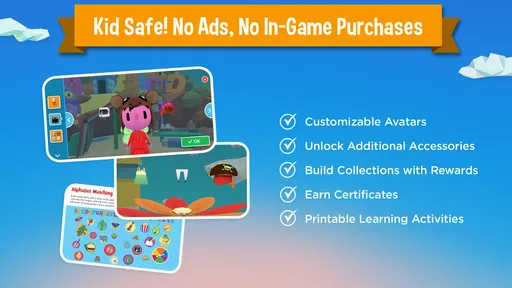
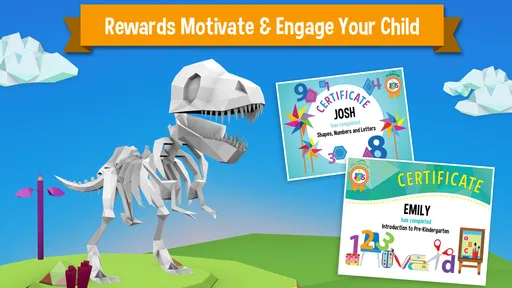
One thing that really stood out to me is the app’s use of interactive features. Kids can tap, drag, and draw on the screen, making learning a hands-on experience. There are also rewards and badges that kids can earn as they complete activities, adding a layer of motivation. Plus, there’s a parent dashboard where you can track your child’s progress, which is super handy.
Accessibility and Support
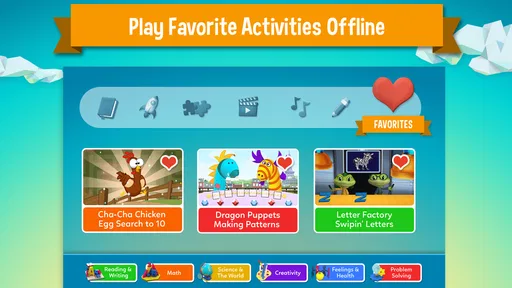
The app is available for both Android and iOS, which is great because it means you can use it on a variety of devices. It also offers offline access to some of the content, so you don’t always need an internet connection. Customer support was responsive when I had a couple of questions, which is a major plus in my book.
Final Thoughts
All in all, LeapFrog Academy™ Learning is a solid choice for parents looking to give their kids a head start in education. It’s engaging, educational, and easy to use. While it’s primarily designed for younger kids, the variety of content ensures they won’t outgrow it too quickly. The app brilliantly combines fun with learning, making it a worthy addition to any educational toolkit.
So, if you’re ready to embark on a learning adventure with your little ones, give LeapFrog Academy™ a try. It might just be the educational boost you’ve been looking for!
My trust verdict
I would consider this a useful option for guided early-learning practice, not a replacement for a caregiver, a classroom, or hands-on play. The strongest case for trying it is a child who enjoys interactive prompts and is ready to practise literacy and math in a playful format. The strongest reason to hesitate is the combination of optional paid content and a format that may not suit every child. I would begin with a short, supervised try, watch how the child responds to the activities rather than the rewards, and decide about spending only when the fit is clear.
Pros
- Engaging educational content for kids.
- Interactive games enhance learning.
- Offline access for flexibility.
- Parental controls ensure safety.
- Regular updates with new content.
Cons
- Limited free content available.
- Requires subscription for full access.
- May have occasional app glitches.
- Content mostly for younger children.
- Some activities need internet connection.
FAQs for LeapFrog Academy™ Learning
What is LeapFrog Academy™ Learning?
LeapFrog Academy™ Learning is an interactive educational app designed for children aged 3-6. It offers a variety of activities and games that cover foundational subjects such as math, reading, and science. The app provides a safe, ad-free environment where kids can learn at their own pace while enjoying engaging content.
Is LeapFrog Academy™ Learning free to use?
LeapFrog Academy™ Learning offers a free trial period for new users. After the trial, a subscription is required to access the full range of content and features. The subscription provides access to an extensive library of learning activities tailored to support early educational development.
What devices are compatible with LeapFrog Academy™ Learning?
LeapFrog Academy™ Learning is available on both Android and iOS devices. It is compatible with most smartphones and tablets, ensuring a wide range of accessibility. For optimal performance, it’s recommended to use devices with the latest operating systems and sufficient storage space.
How does LeapFrog Academy™ Learning support early childhood education?
LeapFrog Academy™ Learning supports early childhood education by providing a curriculum that aligns with key developmental milestones. The app includes activities that foster critical thinking, creativity, and problem-solving skills. It adapts to each child's learning pace, offering personalized learning paths to maximize educational benefits.
Is LeapFrog Academy™ Learning safe for children?
Yes, LeapFrog Academy™ Learning is designed with child safety in mind. The app is ad-free and does not allow in-app purchases without parental consent. It also features a secure environment that protects children’s data, ensuring that parents can feel confident about their child's online learning experience.


